For HVAC companies across Canada

AI answering service for HVAC companies

Infold answers your HVAC company’s phone when the techs are on calls, the office is busy and after hours. No-heat, gas-smell and CO calls get your safety script and go straight to whoever is on call; repairs, tune-ups and install estimates are booked into your schedule with the equipment details already captured.

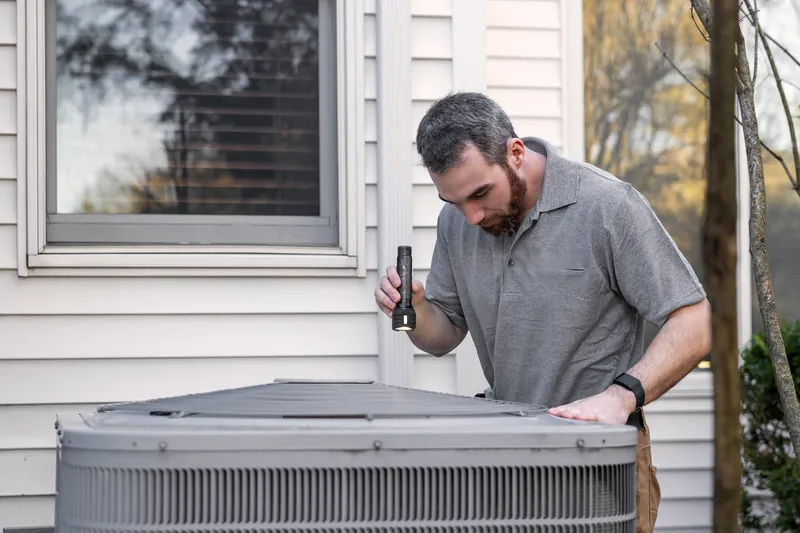
An HVAC technician shines a flashlight into an outdoor air-conditioning unit beside a house with white siding and autumn trees

Before opening · −24 °C · 6:12 AM

  1. Incoming call · 6:12 AM “No heat since about three. My dad’s 84 and staying with us.”
  2. Infold answered Your AI receptionist, following your rules
  3. No-heat rule matched On-call tech texted · 7–9 AM window

Illustrative · fictional caller, real workflow

Read the greeting
  1. Thanks for calling Harbour Dental!
  2. You’re speaking with Sam, our AI receptionist.
  3. This call is recorded.
  4. How can I help you today?

A real recording of Infold’s voice, set up as the greeting for a sample dental office.

  • C$699/mo billed yearly (C$8,388 + tax) · setup included
  • Live in 2 business days once we have access and your approvals
  • 30-day money-back guarantee
  • Keep your number
Sound familiar?

Why do calls go unanswered at HVAC companies?

Because the people who could answer are busy doing the work — and after hours, nobody is there. Here’s where it hurts most.

Your phone, without an answer

  • Voicemail — they called the next company on the list 6:12 AM · Before opening · −24 °C
  • On hold, then hung up 8:20 AM · Dispatcher on another line
  • Voicemail — message left, returned the next afternoon 10:45 AM · Every tech on a call
Illustrative · the same day as below, without an answer
  1. “I can’t answer from a rooftop.”

    Your techs are on calls and the office is on the other line. The phone rings four times in an hour, and by the time anyone calls back, the homeowner has booked whoever picked up.

  2. “The first cold snap buries us.”

    Every furnace that limped through the fall quits the same week. The no-heat call with a newborn at home waits in the same voicemail box as a filter question.

  3. “The answering service just takes messages.”

    You get a name and a number, and you’re still returning calls at 8 PM. Nobody asked if it was an emergency, and nobody booked anything.

  4. “On-call burns my techs out.”

    Whoever carries the on-call phone gets every call — the real no-heat emergencies and the “when does my warranty end?” questions — all night.

What it handles

What does Infold handle for HVAC companies?

The calls your team takes every day — answered your way, at any hour you choose.

No-heat and no-cooling emergencies

It asks your emergency questions — no heat at all or just weak, how cold it is, whether a baby, a senior or anyone unwell is home — and sends matching calls to the on-call tech with the address and symptoms.

  • Emergency rule matched
  • On-call tech paged
  • Arrival window 7–9 AM

Gas smells and CO alarms

Your safety script comes first, word for word: get everyone out, don’t touch switches, call 911 or the gas utility from outside. Then it alerts your on-call tech. It never troubleshoots these calls.

Repairs, tune-ups and reschedules

Furnace and AC repairs, fall furnace tune-ups and spring AC start-ups booked or moved into the windows you open, with the error code or symptom on the job. “When’s my tech coming?” goes to dispatch with the job address.

Install and replacement estimates

Furnace, AC, heat pump and water heater leads arrive ready to quote: current fuel (gas, oil, electric or propane), system age, home size and timing — and the in-home estimate is booked.

Maintenance-plan and warranty calls

It asks whether the caller is on your maintenance plan and applies your priority rule, and takes model and serial numbers for warranty work.

Sample call

What does a call sound like?

Like a good front desk. Emergency line at Northside Heating & Air: the caller gets an answer, a time and a text — and your team gets the details.

  • Says up front that it’s your AI assistant
  • Answers only from information you approve
  • Books, texts and escalates by your rules

The business and caller are fictional; the workflow is how Infold handles it. Hear more sample calls.

Northside Heating & Air

Live call Sat · 6:15 AM · Emergency line

  1. Infold

    Thanks for calling Northside Heating & Air! You’re speaking with our AI receptionist, and this call is recorded. How can I help?

  2. Caller

    Our furnace quit overnight and it’s minus 20 out. We have a newborn at home.

  3. Rule: no heat + newborn
  4. Infold

    That’s an emergency — I’m alerting the on-call technician now. If anyone feels dizzy or you smell gas, leave the house and call 911. Is everyone okay?

  5. Caller

    Everyone’s fine, just cold. We’re at 41 Elm Street.

  6. Infold

    41 Elm Street — got it. Kevin can be there between 7 and 9 this morning, and I’ve texted him the details.

After the call

Alert to Kevin · on call · 6:16 AM

URGENT · no heat, −20°C

Newborn at home. 41 Elm St. Arrive 7–9 AM.

Text to the caller · 6:17 AM

Northside Heating & Air: Kevin arrives 7–9 AM. Smell gas? Leave the house and call 911.

Sat · Kevin, on call
  1. Open
  2. No heat · 41 Elm St
  3. Busy

Job created · on-call

After the call

Alert to Kevin · on call · 6:16 AM

URGENT · gas smell, no heat

Family told to leave and call 911 or the gas utility from outside.

Text to the caller · 6:16 AM

Northside Heating & Air: leave the house now and call 911 or your gas utility from outside.

After the call

Alert to Kevin · on call · 6:16 AM

Transfer · no heat, newborn

Caller asked for a person. −20°C outside, newborn at home.

What if…?
Sample call · fictional business and caller, real workflow
A day of calls

Where does each call end up?

Follow 7 calls across one illustrative day. Switch between “Without Infold” and “With Infold” to see what happens to the same callers.

A cold-snap Monday at a five-truck HVAC company

  1. 6:12 AM Before opening · −24 °C

    “No heat since about three. My dad’s 84 and staying with us.”

    Without Infold: Voicemail — they called the next company on the list

    With Infold: No-heat rule matched · on-call tech texted · 7–9 AM window

  2. 8:20 AM Dispatcher on another line

    “The furnace light blinks three times, then it shuts off.”

    Without Infold: On hold, then hung up

    With Infold: Repair booked today, 1–3 PM · blink code noted

  3. 10:45 AM Every tech on a call

    “What would a heat pump cost to replace our oil furnace?”

    Without Infold: Voicemail — message left, returned the next afternoon

    With Infold: In-home estimate booked Thursday · fuel, size and timing noted

  4. 12:30 PM Lunch

    “Can you move Wednesday’s tune-up? I’m stuck at work.”

    Without Infold: Voicemail — message left

    With Infold: Moved to Friday 8–10 AM · confirmation texted

  5. 3:50 PM Two techs on a rooftop unit

    “Is the tech still coming? The window was one to three.”

    Without Infold: Picked up after seven rings — caller already upset

    With Infold: Passed to dispatch with the address · caller told who’ll call

  6. 7:35 PM Closed for the day

    “Our carbon monoxide alarm just went off.”

    Without Infold: Voicemail — after-hours greeting only

    With Infold: CO script: everyone outside, call 911 · on-call tech alerted

  7. 10:10 PM Overnight

    “The heat pump outside is caked in ice. Can someone look at it?”

    Without Infold: Hung up at the voicemail greeting

    With Infold: First visit tomorrow booked · not urgent by your rules

Next morning · 7:00 AM Your summary of the day Illustrative
Calls answered
7
Booked or changed
4
Urgent, handled
2
Messages for you
1

After hours

  • 6:12 AM No-heat rule matched
  • 7:35 PM CO script: everyone outside, call 911
  • 10:10 PM First visit tomorrow booked
Next morning · 7:00 AM Your voicemail and missed calls Illustrative
Answered, late
1
Messages to return
2
Lost or unknown
4

After hours

  • 6:12 AM Voicemail — they called the next company on the list
  • 7:35 PM Voicemail — after-hours greeting only
  • 10:10 PM Hung up at the voicemail greeting

Illustrative day. Fictional calls; the handling shown is how Infold works.

Intake and rules

It asks what your team would ask — and follows your rules.

What details does it collect?

New call summary Texted to your team · 6:12 AM
  • Name, service address and best callback number — read back to confirm
  • No heat, no cooling, or a noise, leak or smell
  • Equipment and fuel: furnace, boiler, heat pump, AC or ductless; gas, oil, electric or propane
  • Approximate age, plus any error code or blink pattern
  • Who’s home: infants, seniors, anyone unwell
  • Maintenance-plan member or warranty details
  • Preferred arrival window and access notes (gate code, pets)

What rules does it follow?

  1. Gas smell or CO alarm: your safety script first — get out, then call 911 or the gas utility from outside — and an immediate alert to on-call. It never troubleshoots a gas or CO call.
  2. No heat in freezing weather follows your emergency rule — for example, priority whenever someone vulnerable is home or the overnight low drops below the temperature you set.
  3. It quotes only prices you approve, such as a diagnostic or after-hours fee. Installs and replacements become an estimate visit.
  4. It never diagnoses. Simple first checks (thermostat set to heat, furnace switch on, filter not blocked) are offered only if you approve them.
  5. It reads the address and callback number back before ending the call.

Which software does it connect to?

Connects today

  • Google Calendar
  • Microsoft 365
  • HubSpot

Ready to connect from day one.

Connected during setup

  • Jobber
  • Housecall Pro
  • ServiceTitan
  • FieldEdge
  • Workiz

We build and test the connection during your setup. Whether it books directly or sends requests your team confirms depends on what each system allows — we tell you before you start. Using something else? Ask on your demo, or see every integration.

Product names are trademarks of their owners, named only to show what Infold can connect to; no partnership or endorsement is implied.

Setup

How does setup work for HVAC companies?

We set it up around your service area, emergency rules, on-call schedule and the prices you’re willing to quote, and you approve every safety script word for word. Google Calendar, Microsoft 365 and HubSpot connect today; Jobber, Housecall Pro, ServiceTitan, FieldEdge and Workiz are connected during setup. You keep your number and forward calls when you choose — after hours, when the line is busy, or always.

Live in 2 business days once we have access and your approvals.

  1. Day 1

    Step 1: A 30-minute setup call

    Your hours, services, the prices you quote, your booking rules and who gets urgent calls.

    Setup call · 30 min Example
    10:00–10:30 AM · video or phone
    • Hours
    • Services
    • Prices you quote
    • Booking rules
    • Urgent contacts
    You + Infold Accepted
  2. Days 1–2

    Step 2: We build it — you try to break it

    We set up your receptionist and connect your calendar or software. Call it yourself; we tune it until it handles your hardest calls.

    Test call You try to break it Example
    1. You, testing

      Can I get a discount for cash?

    2. Infold

      I can’t promise that — the team will call you back.

    Only your approved answers

  3. Go live

    Step 3: Forward your line

    Keep your number. One setting with your phone provider and Infold answers when you choose.

    Call forwarding Your number · one setting

    Your phone rings you first. No answer after 4 rings, or the line is busy? Infold answers.

    Example setting. You choose when calls forward.
Pricing

How much does an AI receptionist cost for HVAC companies?

C$699/month billed yearly (C$8,388), or C$999/month with no contract. Setup is included. Both Infold plans include 100 handled calls a month; extra calls are C$4.99 each. Prices in CAD, plus applicable taxes.

  • Built for your business: greeting, services, prices you approve, your rules
  • Answers after hours, on busy lines and when the front desk is with someone
  • Books, changes and cancels in your calendar where it’s connected
  • Texts confirmations to callers and alerts you about urgent calls
  • Transfers to your team when a person is needed

Managed AI Receptionist

C$699/month

Billed yearly at C$8,388. Setup included. 100 handled calls a month.

Save C$3,600 a year compared with monthly

Extra calls C$4.99 each, never more than C$499 a month without your OK. Prices in Canadian dollars, plus applicable taxes.

30-day money-back guarantee. If Infold isn’t right for your business, email us within 30 days of your go-live date and we’ll refund everything you’ve paid — setup and extra calls included. One guarantee per business.

Questions

Questions HVAC companies ask

Something else? Book a demo and ask us directly, or read the general FAQ.

Related reading: After-hours answering service · Overflow call answering for busy lines · Infold vs Avoca · Infold vs Ask Benny · How to forward your business calls

Can an AI answering service dispatch my on-call HVAC tech?

Yes. When a call matches your emergency rules — no heat in freezing weather, a CO alarm, a gas smell — Infold texts or transfers it to whoever is on call, with the address, symptoms and who’s at home already collected. Calls that can wait are booked for business hours instead of waking anyone up.

What does it say when a caller smells gas or a CO alarm goes off?

Only the safety script you approve, word for word — typically: get everyone out now, don’t use switches or phones inside, and call 911 or the gas utility from outside. Then it alerts your on-call tech. It never tries to troubleshoot a gas or carbon monoxide call.

Can it handle the first cold snap of the winter?

Yes. It answers several calls at the same time, so the no-heat calls on a cold Monday morning don’t wait behind each other. It sorts them by your emergency rules, sends the urgent ones to on-call and books the rest into the windows you open.

Will it quote furnace, AC or heat pump prices?

Only the prices you approve, such as a diagnostic or after-hours fee. Installs and replacements become a booked in-home estimate, with the current fuel, system age, home size and timing already captured.

Does it work with Jobber, ServiceTitan or Housecall Pro?

Jobber, Housecall Pro, ServiceTitan, FieldEdge and Workiz are connected during setup. Google Calendar, Microsoft 365 and HubSpot connect today. If your system can’t be connected, it captures the job and texts your office to confirm the slot.

Will older customers be comfortable talking to it?

It tells callers up front that it’s your AI assistant, speaks plainly, repeats details when asked and transfers to your team whenever someone wants a person. If nobody can pick up, it takes a detailed message for your callback.

Can it answer questions about rebates, licences or memberships?

Yes, from what you approve — for example, which heat-pump rebate programs you help with, your techs’ gas licences or your HRAI membership. It never guesses at rebate eligibility; those questions go to your office with the caller’s details.

How much does it cost for an HVAC company?

Infold is C$699/month billed yearly (C$8,388), or C$999/month with no contract. Setup is included. Both Infold plans include 100 handled calls a month; extra calls are C$4.99 each. Prices in CAD, plus applicable taxes. We alert you at 80 and 100 calls, and we never charge more than C$499 of extra calls in a month without your OK.

Tonight’s calls are coming either way.

Decide who answers them. Live in 2 business days once we have access and your approvals.

  • C$699/mo billed yearly (C$8,388 + tax), setup included · 30-day money-back guarantee